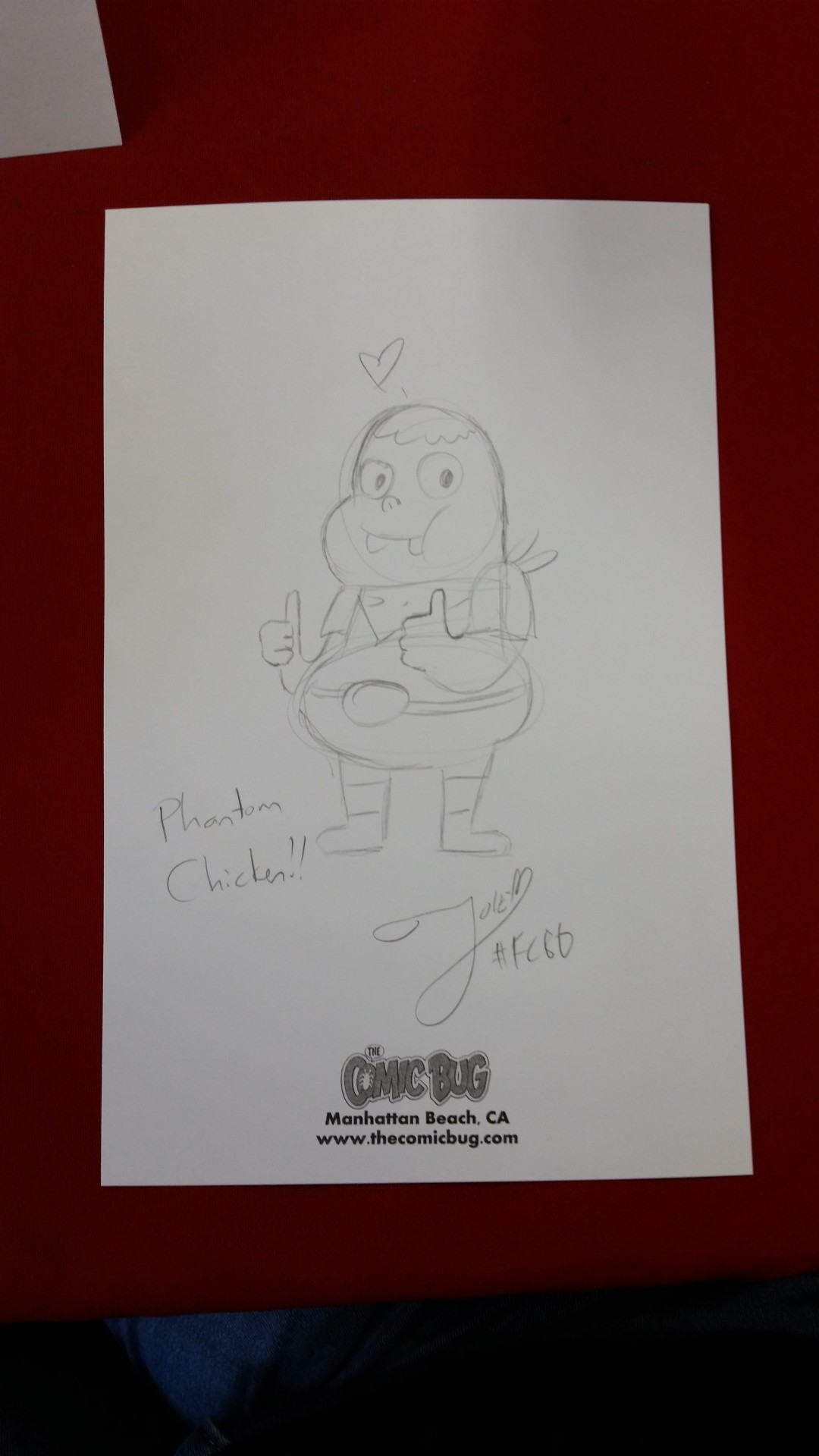
Free comic book day with The Comic Bug was a rousing success again this year! I tabled with the amazing Tanja Bjork, creator of Havenhurst. For the first time ever I had a line for sketches in front of my table. I did about 25 or so… whew, my drawing hand was about to fall off! Thanks so much for all the support! <3
Animated Chickens!
Animated Chickens!
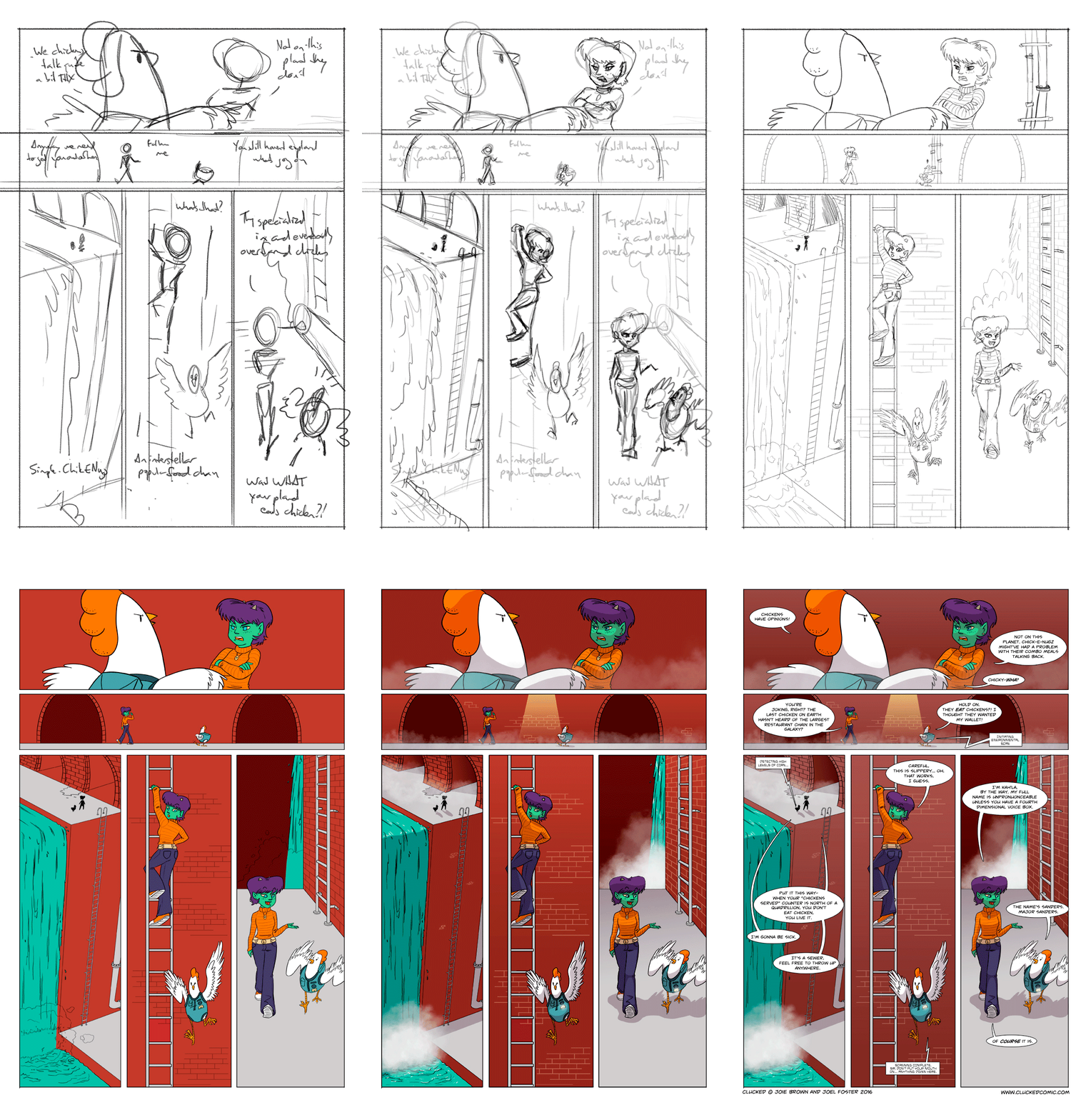
For this week’s page of Clucked, I made a super cool animated gif of the entire process. If you’re one of my $2+ Patrons on Patreon, you get access to a cool behind-the-scenes blog that explains How I Did the Things, and if you’re a $5+ Patron, you can download the PSD and poke around in the file!
See the finished page live on the Clucked website!
More Foxen Have Deployed
400 thousand of them, to be exact. Congrats to Stephen Owen of FoxDeploy.com for getting 400k hits on his website!
I've worked with Stephen before, you may remember him as the guy who really likes foxes.
He also really likes coding, so why not put those two things together! He wanted some cute foxes celebrating, and thus this Fancy Foxen party was born!
The final image has some extra space at the top and bottom so that we could crop it down to the banner size he needed on his site... but this also gives me the opportunity to zoom in so you can Where's Waldo with the silly foxes in the background.
WonderCon 2016
I’ll be at WonderCon this weekend at the Los Angeles Convention Center! I’m very excited to debut a new poster for Clucked, and in addition to Corgi 1 and 2, I’ll have two ashcans: Guilty Horse and the 2016 Ladybugs Slambook. Come say hi at table F-12!
Ladybugs Anthology #1
I’m really excited to finally announce the first anthology I’ve ever been a part of, presented by The Comic Bug! This anthology features work created by the members of the Los Angeles Women’s Comic Creators League.
The Ladybugs Anthology – Coming SOON!
The Los Angeles Women’s Comic Creators League (aka The Lady Bugs) is an open group of women comic book enthusiasts and creators. Their primary mission is to create a safe space for women to share projects, make friends, and most importantly, HAVE FUN! Stay up-to-date on the Lady Bugs on Facebook!
I am a proud member of the group, and am really excited to have a 7 page story named Test Day in the anthology! The book will be a 138 page trade paperback– black and white with color covers. It’ll feature art, stories, and illustrations by over 17 lady creators with themes ranging from sci-fi to slice of life.
The anthology will be going on sale in about a month’s time (sometime between late March and mid April), but I am currently accepting pre-orders for it! The cost will be $15.00 USD, plus shipping if you need me to mail it to you.
If you’d like to pre-purchase a copy, click here to place your order using my Paypal.me account! It’s pre-loaded to be $20 ($15 + Shipping) but if you see me in person regularly you can change the amount to $15 to skip the shipping costs. Be sure to put in the Notes that it’s for the Ladybugs Anthology.
I am only accepting pre-orders until Thursday, February 25, so act fast!! I will have some copies I’m ordering to sell, but there’s no guarantee I’ll have enough if you wait!
"Ari" Speedpaint Video
I’ve really wanted to get more content onto my Youtube channel, so I’ve started making speedpaint videos again! This video condenses 2.5 hours from my Patrons-only stream into 4 minutes of “drawing so fast the pencil must be on fire” goodness. I hope you enjoy it! I’m planning to have more soon!
A Day in the Life of a Freelancer
So for everyone out there that wonders just what we freelancers DO all day, I wrote up a little outline about how my own typical schedule goes. Yes, we can work in our PJs* if we really want, but it’s certainly not sitting around stuffing our faces with bonbons. Or, if we do, it’s while we’re doing about 8 different tasks at once. You can eat bonbons or not, I won’t judge. You do you!
*I actually never work in my PJs, despite the temptation. I swear, really! If I do, my work ethic goes right out the window!
My Typical Day!
- 8:00 AM: Wake up… I know, that’s not very early. It’s a thing I’m working on.
- 8:15 - 8:45: My workout! I switch off between cardio and strength 6x a week. I usually use Jessica Smith’s programs.
- 8:45-9:00: Dog walk.
- 9:00 - 9:30: Shower n’ stuff.
- 9:30 - 11:00: Breakfast while I BUSINESS FRENZY for about an hour. I go nuts on social media promoting myself and others, plus send/respond to emails, and search for new potential gigs. This is also when I post new content and work on writing any new content that needs writing.
- 11:00 - 3:00: Job stuff! Actual client work. I also eat lunch at my desk at some point in here.
- 3:00 - 4:00: Typically a second BUSINESS FRENZY but this time I might lean more heavily on the social media side. It’s when a lot of people are active! This is usually accompanied with tea.
- 4:00 - 4:30: Walk the dog!
- 4:30 - 8:00: More Job Stuff!
- 8:00 - 9:00: Dinner
- 9:00+: If it’s Crunch Time I’ll get back to Job Stuff. If it’s not, I’ll switch off between reading/watching a program, playing a video game, or working on my own comics/personal projects.
- 12 AM: Bed time!
And of course there are exceptions to this rule. Making my own schedule as a freelancer is very cool! Things might shift around if I have a doctor’s appointment, business lunch, or some sort of event to attend. On Tuesdays my ballet class rearranges the *entire* day. It also depends on my current workload. If I’m lighter on the client work side of things, I tend to lean more heavily on BUSINESS FRENZY time and do such things as designing new promo materials and catching up on accounting.
If you’re a fellow freelancer, what does YOUR day look like? Share in the comments!
My Very First Comic
This is my very first comic I ever made at the tender age of 12. And yes, that’s a plushie of the main character that my mother and I made together. Despite it being part of a school assignment, I like to think my 12 year old self was forward-thinking with merchandising opportunities!
My First Comic
I took this photo because my Patrons have unlocked the “Old Embarrassing Comics” Creator Goal, which means I unearthed, scanned, and uploaded 18 year old comics to share. I had a lot of fun revisiting my old (and awful) storytelling and art skills, reviewing why I made certain choices I did, and sharing a lot of fun personal backstory in the post. Literally ANY Patron level can get these, so I couldn’t help but share this! If you want some great giggle material, this might something you’re interested in!
Witchsona 2016
I wanted to experiment with some new style choices, so what better excuse than this? I’d say this was about 4-5 hours’ worth of work. My style is typically more cartoony/stylized, and tends to rely on linework so this was definitely out of my comfort zone. I feel like the test was worth the effort to learn, though!
Witchsona 2016
Wacom Companion 2: The Good, The Bad, and The Ugly
So for the holidays I received the best present an illustrator who frequently travels could ask for: the ability to put together a truly mobile studio! While my old, smaller Wacom Cintiq was technically portable, it was a real pain to tote around since it required so much other equipment. The stuff was heavy. My arms are made from noodles. Once set up, the stuff pretty much took up an ENTIRE table… which doesn’t really work at your local Starbucks. Or anywhere.
Enter the Companion. Sleek computer + Cintiq all in one… I’ve been frothing at the mouth to own one since they were first announced. So how does it hold up as a portable studio? Did it pass my road test? Let’s take a look.
The Ugly
I like to go backward because I’d rather end on a positive note.
- The Stand – (photo above) The Companion 2 comes with a stand to hold it up like an easel. This thing patently sucks. It has three “cutouts” that will hold up the Companion at different angles. Except it doesn’t work well. It’s flimsy, and it’s hard to snap the tabs into the holes on the Companion to keep it in place. If I have it at its flattest setting, the Companion won’t snap into the bottom tab, and the thing is constantly sliding forward. I have to keep doing the ChaCha with the darn thing. Draw draw PUSH. Draw draw PUSH.
- The Battery – I have tested this Companion quite a bit, and the battery just doesn’t last very long. My latest test put it into Full Studio mode: WIFI on, Photoshop chugging along, chat programs running, and music streaming from Google Play. I got approximately (and I’m being generous) 2:30 hours out of the thing before it hit about 10% battery. I didn’t run it to power loss, but… I feel like anyone that works out in public hits a point with their battery where they are afraid to keep it running for fear of it shutting off suddenly… and losing your progress. We all know that those battery estimates are wrong, wrong, wrong. So if you’re on a flight or in a café that gives you A/C access? You’re golden. If not? Well, don’t plan on working very long.
- The Price – Whoa mama this thing costs a lot. But then again so does anything by Wacom. If you like Wacom products, you already knew about this going in.
The Ba-- Actually let’s call this The Neutral, aka Mild Annoyances
- Photoshop – Photoshop’s UI is fantastically too small for the Companion’s screen, and the version I have can’t enlarge. I hear the new Photoshop CC has this capability, but that it’s experimental. Sure I could up-res my screen but why would I want to do that? That messes up stuff in other programs. Most applications will adjust their UI a bit so that the buttons are at least not microscopic. Manga Studio does it perfectly, as does Chrome and most games I’ve tried playing on the thing. I get around this issue by just using my Cintiq pen– it gives me way more accuracy, but I still have issues with misclicks sometimes.
- The Borders – I’ve had a teeny bit of trouble hitting menu items on the very edges of the screen, but it doesn’t mess up my workflow very much. I only notice it sometimes, and that’s mostly toward the top.
- Touch Control – This issue might have a workaround that I just don’t know about. Basically, I wish there were a way that when the Companion sensed the Cintiq pen on its surface, it would turn OFF the touch function. Why? Because when I draw I rest my hand on the screen, and that can sometimes lead to hilarious results with simultaneous commands.
The Good
- The Weight – This thing weighs about the same as my normal laptop, so it doesn’t break my back when I tote it around. Specifically, because I don’t have to tote a Cintiq AND a laptop (with 500 cords), it’s quite easy to carry through airports and across town to the coffee shop.
- The Simplicity – Graduating from Cintiq plus laptop, three cords, two power cords, two power bricks, pen and external HDD to just Cintiq plus cord, pen, and external HDD has been a lifesaver. My footprint on a tabletop has been reduced by about half, and it’s way less time consuming to set up!
- It’s Slick – The machine has great aesthetics!
- It’s Fast – Mine is the i5, so while it’s not the most powerful that Wacom had to offer, it gets the job done. If I’m using a very large brush, sure I’ll get a bit of lag. Undoing a big Fill tool command takes a milisecond longer than it does on my desktop computer. It’s almost not noticeable though. In addition, it’s got a solid state HDD so this thing boots up and shuts down like it’s breathing. Poof! So fast, my head is still spinning.
- Easy to Use – I love that the computer itself works well as a tablet. Windows 8 is made for tablets and is very easy to control with a finger tip. I needed to get a bluetooth keyboard to make typing easier though!
So what’s the verdict? Companion 2, while it has a few things that I’d like a workaround for, is an extremely excellent, easy to move studio. I can get any type of work done (writing, drawing, painting, comics, emailing, social media, spreadsheets) on the go without issue. I’d say my biggest complaint is the battery life, but that just means that I need to get creative about finding A/C outlets in cafés! I’m excited to use this fancy doodad for years to come!
How does it stack up against a Surface Pro or iPad? No idea as I haven’t tested those. I did significant research on those other options before I settled on the Companion 2, and my findings mostly were that all of these items are comparable. They’re all gonna have pros and cons, so it’s just down to your work style and what things annoy you the most!
Whichever you choose, you’ll probably be fine. Happy drawing!
PS. Wacom didn’t sponsor this or give me the Companion 2 for free. (Rats, that would’ve been nice.)